Cut it together.
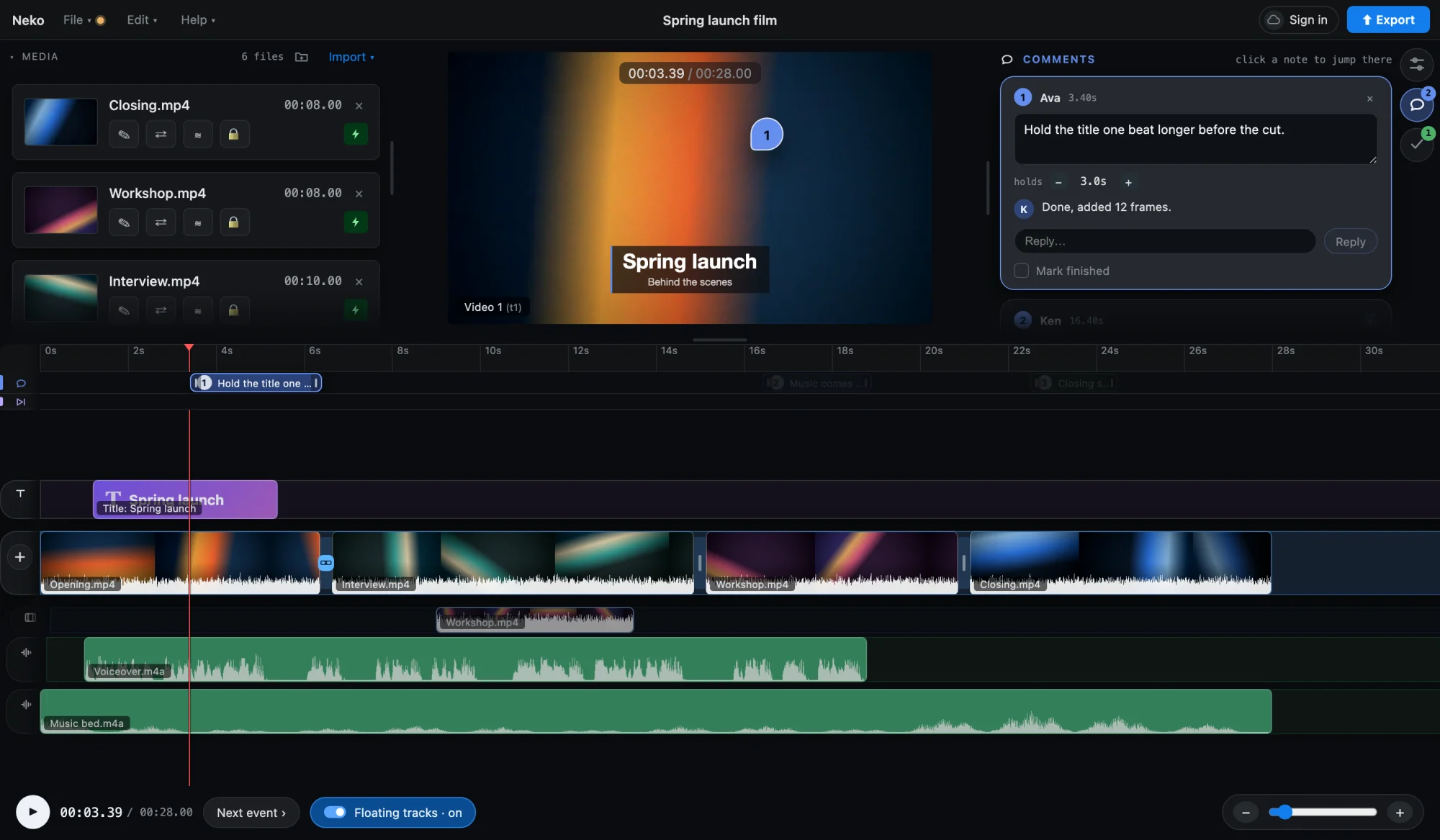
Send a link, not an export. Your team edits and comments in the same project.
On your own? Edit on multiple devices in the full editor, free. No watermark and no account.
Made for a team Collaborative video editing for teams
- Owner
- Editor
- Reviewer free
- Share by link or email
- Add editors and reviewers. You edit video together in the same project, each in a browser.
- Comments on the frame
- Pin a note to the picture. Reply, then mark it finished.
- Versions
- Open an earlier version of the edit, or restore it.
- Every device
- Projects sync to your other computer, iPhone and iPad.
Complete on your own A free online video editor, no watermark
- Multitrack timeline
- Video, audio, titles and shapes, each on its own rows.
- Keyframes
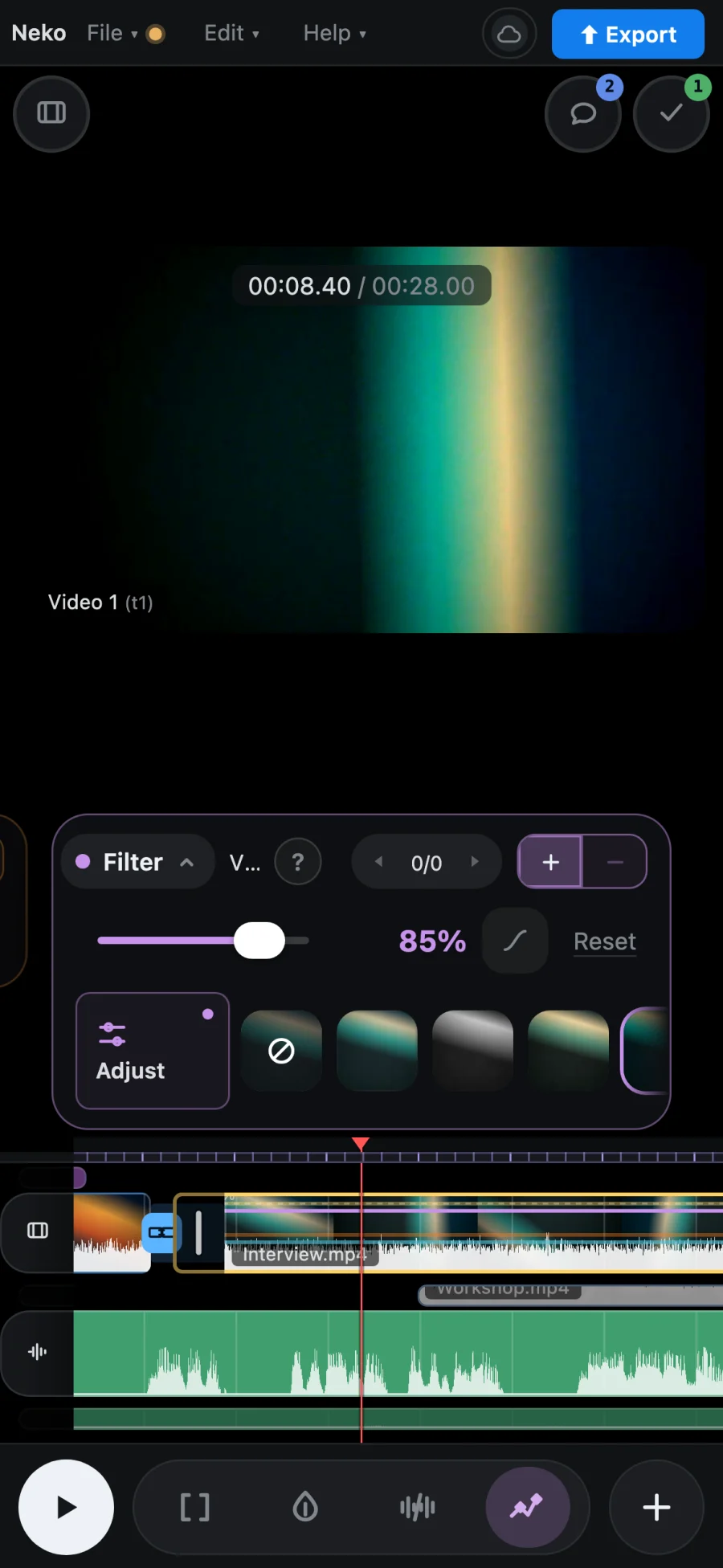
- Opacity, zoom, position, rotation, volume, speed and filters.
- Multicam
- Sync angles by sound or timecode, then switch between them.
- Transcription
- Captions, and editing the cut from the text.
- Auto-skip
- Finds the quiet stretches and skips them.
- Follow the shot
- A title, blur or picture tracks what is under it.
- Green screen
- Key out a colour, with softness and spill controls.
- Sound
- Duck music under speech. Reduce noise.
- Export
- H.264. 1080p free, up to 4K on Pro. No watermark.
Also stabilize · speed ramps · transitions · filters · blur and mosaic · picture-in-picture · camera shake · Claude Code access (Pro)
Pricing
Free $0
- No watermark
- Any length, any file size: the full editor
- Export up to 1080p
- 10 synced projects, 75 versions each
- 2 editors
- Footage syncs for 1 project at a time, 300 MB
Pro $10 / month
- Export up to 4K
- 500 synced projects, 5,000 versions each
- 3 editors
- Footage syncs for every project, 50 GB, originals included
- Claude Code access
Reviewers are free on both plans. Free cloud footage is cleared after 14 days without use.
Why it’s free
Editing video for years, I got tired of editors that hold your edits hostage, watermark your video, limit you to two tracks, or cost a fortune.
It’s 2026 people; the editor is free.
Editing across devices and with friends costs me money, though, so... Pro.
Kiyo, Nekocut
Questions about collaborative video editing
Can my team edit a video together?
Yes. Sign in and share a project by link or email; the people you add edit and comment in the same project, each in their own browser. Free includes 2 editors and Pro 3, and reviewers are free.
Is Nekocut free?
Yes. The full editor is free, with export up to 1080p. Pro is $10 a month for export up to 4K, cloud footage for every project and a third editor.
Does it add a watermark?
No. Nothing is added to your video, on Free or on Pro.
Do I need to install anything?
No. Nekocut runs in your browser, and you don’t need an account to start. Chrome and Edge export fastest.
Does it work on iPhone?
Yes, in Safari on iPhone and iPad, with a layout made for touch. The same project opens on your computer.
Can someone review without changing the edit?
Yes. A reviewer watches and leaves comments pinned to the frame, and can’t change the cut. Reviewers are free on both plans.